TLDR: FLUX.1 Kontext by Black Forest Labs is an advanced AI image editing model that combines text prompts with reference images for context-aware editing. It offers character consistency, local object modifications, style transfer, and precise text control – all available for free. This guide explains how FLUX.1 Kontext works, its key features for graphic designers, and practical ways to integrate it into your creative workflow.
What is FLUX.1 Kontext?
FLUX.1 Kontext represents a significant advancement in AI image editing technology. Unlike traditional image generation tools that create entirely new images from text prompts, FLUX.1 Kontext enables precise editing and refinement of existing visuals while maintaining contextual awareness. The model understands relationships between elements in an image, allowing creators to modify specific components without affecting unrelated areas.
Developed by Black Forest Labs, FLUX.1 Kontext operates on the principle of unified context. When you provide both a base image and a text prompt, the model processes them together rather than treating the prompt as a standalone instruction. This means if you ask to change a character’s clothing while keeping their face and expression, FLUX.1 Kontext understands which parts should remain unchanged.
The model is available through multiple interfaces. The official FLUX.1 Kontext website offers a straightforward web interface with no login required. For developers and power users, API access enables integration into custom workflows and tools. This accessibility makes FLUX.1 Kontext practical for both casual experimentation and professional production.
Core Features That Transform Creative Work
FLUX.1 Kontext includes several capabilities that directly address common challenges in graphic design and digital art creation. These features work together to provide a comprehensive editing experience that goes beyond simple text-to-image generation.
Character Consistency Across Series
Creating consistent character appearances across multiple images is notoriously difficult with AI models. Faces drift, proportions change, and features blur from one generation to the next. FLUX.1 Kontext solves this through context-aware editing. You can generate a base character, then use that image as reference for subsequent variations while specifying different poses, outfits, or environments. The model maintains core identity throughout series.
This feature is particularly valuable for branding projects, comic creation, character design for games, and social media content where a recognizable character appears repeatedly. Designers save hours of manual adjustments because the AI automatically preserves defining traits like eye color, facial structure, and hairstyle while altering other aspects.
Local Object Editing Without Global Changes
Traditional AI editing tools often struggle with precision. Changing one element might unintentionally modify entire composition, blur backgrounds, or shift colors globally. FLUX.1 Kontext enables isolated modifications. When you specify an object to edit, the model confines changes to that specific region while respecting surrounding context.
For example, you can request to change a product’s color from blue to red while keeping lighting, shadows, and reflections consistent with the original environment. The model understands physics and lighting conditions, so the edit looks natural rather than pasted on. This precision reduces cleanup work and creates convincing results.
Style Transfer and Aesthetic Control
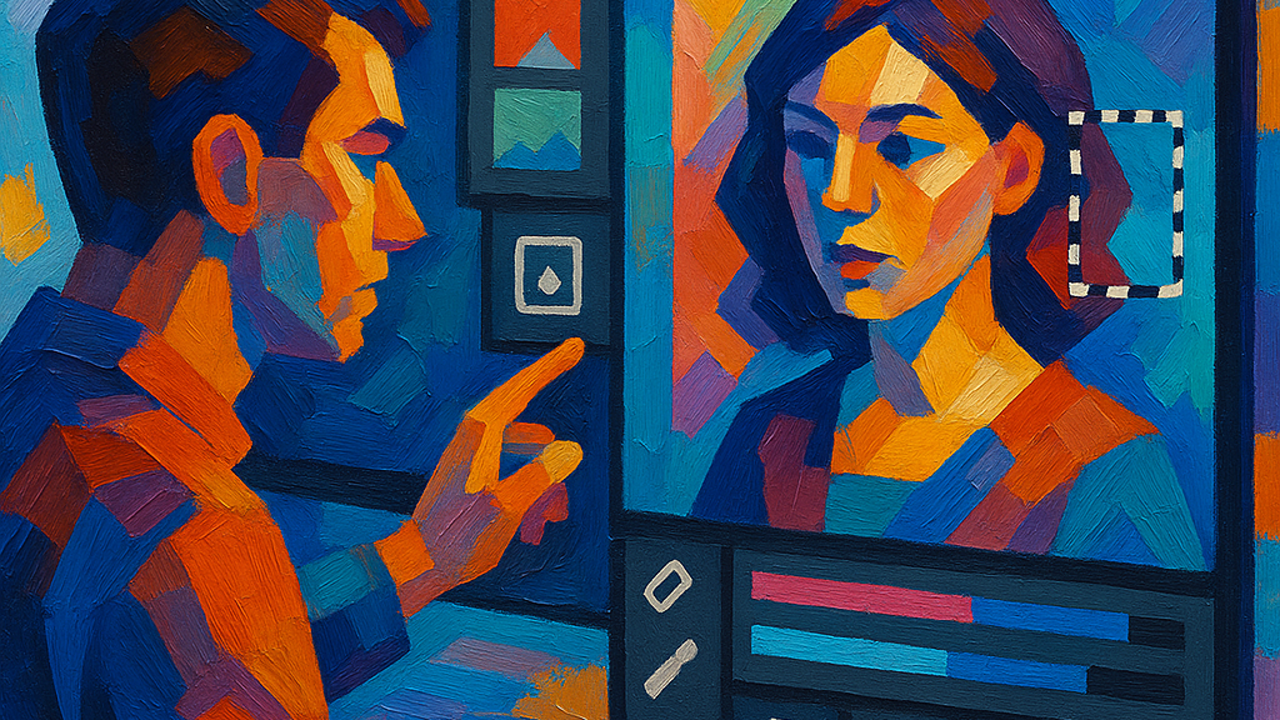
FLUX.1 Kontext applies stylistic changes while preserving underlying content. You can take a photograph and transform it into different visual styles, from oil painting to cyberpunk to watercolor, without losing the original subject matter. This style transfer happens intelligently – the model respects lighting, shadows, and texture rather than applying a flat filter.
Style control extends to mood and atmosphere. Adding prompts about lighting conditions, color palettes, or composition guidelines influences the entire image cohesively. This means you can create multiple variations of a scene in different styles while maintaining the same subject matter and narrative elements.
Precise Text Replacement and Addition
Text in images has historically been challenging for AI models. Letters distort, spelling fails, and fonts look unnatural. FLUX.1 Kontext handles text more effectively than predecessors. You can replace existing text in signs, labels, or documents, or add new text elements that match the style and perspective of the original image.
This capability supports mockup creation for marketing materials, localization of packaging and signage, and updating outdated text in promotional graphics. The model maintains perspective distortion appropriate to the text’s position in 3D space, making additions look like they were always part of the scene.
Design Tips for FLUX.1 Kontext
Getting optimal results from FLUX.1 Kontext requires understanding how to craft effective prompts and leverage reference images strategically. These practical tips help designers extract maximum value from the model.
- Start with high-quality reference images: The quality of your base image directly influences output quality. Sharp, well-lit references with clear subjects give the model better context to work with. Avoid heavily compressed or blurry starting images.
- Describe specific changes rather than general concepts: FLUX.1 Kontext performs best with precise instructions. Instead of “make it better,” specify “change the blue shirt to red and add subtle shadows on the right side.” More detail yields more accurate results.
- Provide context through surrounding elements: When editing one object, mention what should stay unchanged. This helps the model understand boundaries and prevent accidental modifications to background or other characters.
- Iterate gradually rather than requesting complex changes all at once: Break major edits into smaller steps. Change one element, evaluate results, then refine in subsequent prompts. This incremental approach reduces the likelihood of errors and gives you more control.
- Combine reference images with style prompts: You can guide aesthetic direction alongside content changes. For example, “apply neon cyberpunk lighting while keeping the character’s expression unchanged” gives the model both visual and stylistic context.
- Test multiple variations before committing: Generate several versions of an edit with slightly different prompt wording. Small phrasing changes can significantly impact results, so options help you select the best outcome.
- Use negative prompts to avoid unwanted changes: Specify what you do not want to happen. “Change the shirt color to red but do not alter the skin tone” helps prevent unintended modifications to areas that should remain stable.
FLUX.1 Kontext vs Other AI Image Models
Understanding where FLUX.1 Kontext fits in the AI image landscape helps decide when to use it versus alternatives. Different models excel at different tasks, and matching capabilities to requirements produces better outcomes.
Compared to DALL-E 3
DALL-E 3 from OpenAI excels at generating entirely new images from text. Its strength lies in creative interpretation and handling abstract concepts. FLUX.1 Kontext, conversely, shines at editing existing images with precise control. If you need to create a scene from scratch, DALL-E 3 may be preferable. If you have a photograph and want to modify specific elements, FLUX.1 Kontext is the better choice.
Compared to Midjourney
Midjourney is known for artistic style and aesthetic quality. It generates visually stunning images but offers limited editing control. FLUX.1 Kontext provides more precise object-level modification and character consistency. The choice depends on whether you prioritize artistic exploration (Midjourney) or specific editing workflows (FLUX.1 Kontext).
Compared to Stable Diffusion
Stable Diffusion is a versatile open-source model with extensive community resources for inpainting and editing. However, achieving precise results often requires significant prompt engineering and multiple iterations. FLUX.1 Kontext provides more intuitive editing out of the box, with better understanding of natural language instructions. For designers who want reliable edits without extensive technical work, FLUX.1 Kontext offers a more straightforward experience.
For those exploring Diffusion Studio or traditional inpainting workflows, FLUX.1 Kontext represents a significant leap forward in usability and precision.
Practical Workflows for Graphic Designers
Integrating FLUX.1 Kontext into professional workflows requires understanding where it fits in the design process. These workflow patterns demonstrate real applications for graphic design projects.
Mockup Iteration and Refinement
Product packaging, app interfaces, and marketing materials require multiple design iterations. FLUX.1 Kontext accelerates this process. Create a base layout, then use the model to generate variations with different colors, text treatments, and visual styles. This rapid iteration lets clients review options quickly and provide more targeted feedback.
The context-aware nature ensures that brand elements like logos and product features remain consistent across variations while peripheral elements change according to feedback. Designers working on Photoshop alternatives can incorporate FLUX.1 Kontext alongside traditional design tools.
Character Design for Games and Comics
Developing consistent character appearances across different scenes and poses is resource-intensive. FLUX.1 Kontext reduces this workload. Generate a master character design, then use it as a reference for action poses, emotional expressions, costume changes, and environmental interactions. The model preserves core identity while allowing necessary variations.
This workflow supports both 2D game development and comic production. Artists can focus on creative direction while the AI handles the mechanical consistency work. When combined with tools like Remotion for animation, FLUX.1 Kontext helps create consistent character assets efficiently.
Marketing Content Variation
Social media campaigns and marketing materials benefit from A/B testing different visual approaches. FLUX.1 Kontext enables efficient creation of test variations. Take a core visual concept and generate multiple versions with different color schemes, compositions, or focal points. This facilitates data-driven decisions about which design elements perform best with target audiences.
The model’s style transfer capabilities allow testing completely different aesthetic approaches – minimalist, detailed, playful, or serious – without recreating content from scratch each time. This is particularly valuable when creating faceless content or maintaining brand consistency across multiple campaigns.
Getting Started Checklist
Use this checklist to begin using FLUX.1 Kontext effectively in your design workflow.
- Visit the official website: Go to flux1-kontext.org to access the web interface. No account creation is required to start experimenting.
- Prepare reference images: Gather high-quality base images you want to edit or modify. Ensure they are in common formats like PNG or JPG with sufficient resolution.
- Plan your edit approach: Identify specific elements to change, maintain, or transform. Having a clear plan prevents overwhelming the model with too many instructions at once.
- Craft detailed prompts: Describe changes precisely, mention what should stay unchanged, and provide style context if aesthetic direction is needed.
- Generate multiple options: Create several variations to compare outcomes and select the best result for your project.
- Iterate based on results: Evaluate generated images and refine prompts for subsequent attempts. Incremental improvements often yield better final outputs than trying to achieve everything in one attempt.
- Consider API integration: For professional workflows, explore API access to integrate FLUX.1 Kontext directly into your design tools and automation systems.
Key Takeaways
Here are the essential points to remember about FLUX.1 Kontext:
- FLUX.1 Kontext enables context-aware editing: The model combines text prompts with reference images to understand relationships between visual elements, allowing precise modifications without unintended global changes.
- Character consistency is a major advantage: Generate variations of the same character across poses and environments while maintaining defining traits like facial features and proportions.
- Precise local editing saves time: Modify specific objects, text, or style elements without affecting unrelated areas, reducing manual cleanup work.
- Style transfer preserves content: Apply different aesthetic treatments like oil painting or cyberpunk to your images while maintaining subject matter and lighting integrity.
- Free access lowers experimentation barriers: No account is required to start using FLUX.1 Kontext, making it accessible for casual testing and evaluation.
- Best used with high-quality reference images: Sharp, well-lit starting images provide better context and yield more reliable editing results.
- Iterative prompting improves outcomes: Break complex edits into smaller steps and generate multiple variations with refined prompts for optimal results.
- Complements rather than replaces other AI models: FLUX.1 Kontext excels at editing, while models like DALL-E 3 and Midjourney are better for generating completely new images from text.
- Professional workflows benefit from context awareness: Mockup iteration, character design, marketing variation, and photo retouching all become more efficient with FLUX.1 Kontext’s understanding of visual relationships.
Frequently Asked Questions
Is FLUX.1 Kontext free to use?
Yes, FLUX.1 Kontext is currently available for free on the official website. No account creation or login is required to access the basic web interface. API access may have separate terms and potential costs for production usage.
What makes FLUX.1 Kontext different from other AI image editors?
FLUX.1 Kontext specializes in context-aware editing that combines text prompts with reference images. Unlike models that generate new images from scratch, FLUX.1 Kontext modifies existing visuals while understanding relationships between elements. This allows precise local edits, character consistency, and style transfer while preserving overall image integrity.
Can FLUX.1 Kontext generate new images or only edit existing ones?
FLUX.1 Kontext can both generate new images from text prompts and edit existing reference images. The combination of generation and editing capabilities makes it versatile for different stages of the design process. However, its editing strengths are particularly notable when working with base images.
How do I get the best character consistency results?
Generate a high-quality master character design first, then use that image as a reference for subsequent variations. Specify clear instructions about which traits to maintain versus which to change. Describe poses, expressions, or outfits specifically while mentioning that core identity should remain unchanged.
What file formats does FLUX.1 Kontext support?
The web interface accepts common image formats including PNG, JPG, and WEBP. High-resolution source images provide better context for the model. Output images are typically delivered in standard web-ready formats suitable for design projects.
Can FLUX.1 Kontext replace text in images?
Yes, text replacement is one of FLUX.1 Kontext’s strengths. The model can modify existing text elements in signs, labels, or documents, or add new text that matches the style and perspective of the original image. This supports mockup creation, localization work, and updating marketing materials.
Is FLUX.1 Kontext suitable for commercial use?
Free access on the website is available for experimentation and evaluation. Commercial usage terms should be reviewed if you plan to use FLUX.1 Kontext extensively in production environments or integrate it via API. Black Forest Labs likely has specific licensing or usage policies for paid or high-volume applications.
How does FLUX.1 Kontext compare to Stable Diffusion inpainting?
FLUX.1 Kontext provides more intuitive editing out of the box. While Stable Diffusion has extensive inpainting resources and community tools, achieving precise results often requires significant prompt engineering and multiple iterations. FLUX.1 Kontext offers better natural language understanding and context awareness for more reliable editing without extensive technical work.
What are the main limitations of FLUX.1 Kontext?
Processing time varies with edit complexity – simple changes are fast, but complex transformations may take longer. The model works best with high-quality reference images, as poor source quality limits context understanding. Very intricate edits sometimes require multiple attempts with refined prompts to achieve desired results.
Can I use FLUX.1 Kontext for product photography editing?
Yes, FLUX.1 Kontext is well-suited for product photography. You can change product colors, modify packaging design, remove or add props, and enhance specific details like shadows or highlights. The context awareness ensures edits look natural while maintaining overall scene integrity and lighting conditions.
How do I integrate FLUX.1 Kontext into my design workflow?
The web interface provides quick access for experimentation. For professional integration, explore API documentation to connect FLUX.1 Kontext to your design tools, automation systems, or custom applications. This enables batch processing, integration with other design assets, and incorporation into automated production pipelines.