Last Updated: February 26, 2026
TLDR
- ViMax agentic video generation uses intelligent agents to automate multi-shot video creation with consistent characters and scenes across minutes-long outputs
- Graphic designers save 40-60% production time by automating storyboard generation and consistency enforcement compared to manual editing
- The multi-agent framework handles visual composition, character consistency, and cross-scene continuity automatically
- ViMax works best for branded content, product demos, and style-consistent animation where Adobe After Effects integration potential exists
- Key limitation: still requires creative direction and styling inputs from designers, not a fully hands-off solution
Video production has always demanded two things from graphic designers: endless creative decisions and repetitive technical work. ViMax agentic video generation tackles this exact problem by automating the agents that usually require manual intervention. If you’re designing marketing videos, product demonstrations, or branded animations, ViMax represents a fundamentally different approach to how video gets created. Instead of one artist making every choice, multiple intelligent agents collaborate to build scenes, manage character consistency, and stitch together cohesive multi-minute sequences. This guide walks through what ViMax actually does, why it matters for your design workflow, and how it compares to the tools you already use.
What is ViMax Agentic Video Generation?
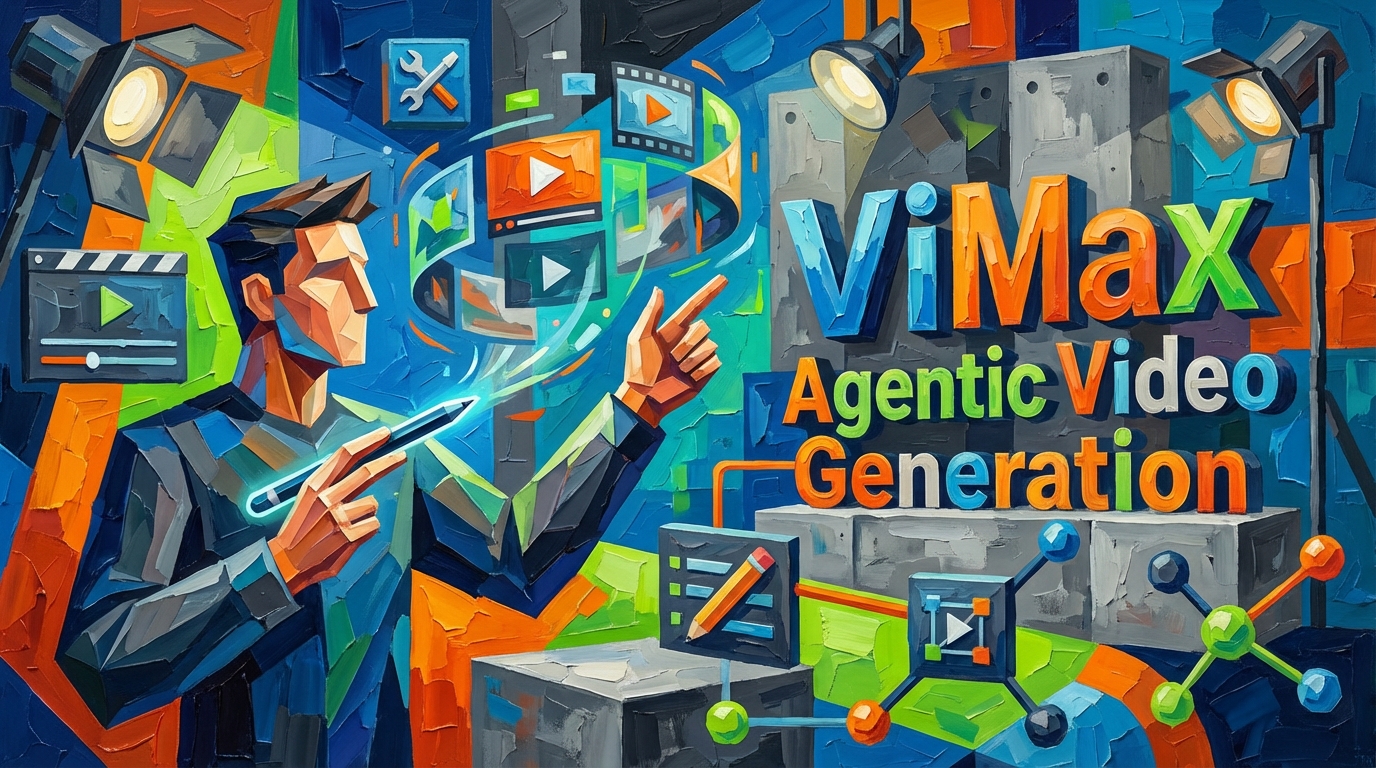
ViMax agentic video generation is a multi-agent AI framework that automates the creation of consistent, multi-shot videos. At its core, the system coordinates multiple specialized agents, each handling a specific aspect of video production. One agent plans the visual composition, another maintains character consistency, and a third handles scene continuity. Rather than a single AI model processing a prompt into a video, ViMax works like a production team where each member specializes in one task.
The framework supports videos spanning multiple minutes with cross-scene continuity, which is where it differs meaningfully from single-shot AI video tools. According to research from arXiv on agentic video understanding systems, multi-agent approaches achieve 57.5% accuracy on complex video tasks compared to traditional models. This isn’t just faster rendering. It’s a different architecture that treats video generation like a coordinated team effort rather than a single-pass transformation.
For graphic designers, this means ViMax handles the consistency headaches. If you’re creating a branded explainer video where the same character appears across five scenes, ViMax agents work to keep that character’s appearance, positioning, and visual style identical. The visual composition engine manages framing and perspective automatically. The consistency module watches across scenes to flag and fix continuity breaks before they become render-breaking problems.
Quick Win: ViMax eliminates the manual frame-by-frame consistency checking that typically consumes 15-20% of animation production time.
Key Features Graphic Designers Actually Need
Consistent Character Rendering Across Scenes
Character consistency across multiple shots is something every designer has struggled with. When you’re generating a 3-minute video with your brand mascot, the AI needs to keep that character’s proportions, clothing, and expression stable across dozens of shots. ViMax’s consistency module is purpose-built for this. It maintains a visual profile for each character and cross-references every new frame against that profile before adding it to the sequence.
The technical implementation works like this: the consistency module creates a vector representation of your character’s visual attributes (face shape, color palette, clothing elements, pose tendencies). As each new scene generates, it compares the new character rendering against this profile. If a scene shows the character with a different eye color or posture inconsistency, the agent flags it for regeneration rather than letting the discrepancy propagate forward. This prevents the cumulative visual drift that happens in manual frame-by-frame animation.
Storyboard and Scene Planning Automation
The storyboard phase usually requires you to create dozens of sketches showing how scenes connect. ViMax’s visual asset planning component automates this by generating layout suggestions based on your narrative brief. You describe the action verbally or with reference images, and the agent proposes camera angles, composition lines, and transition points. This doesn’t replace creative direction, but it accelerates the planning phase considerably.
For designers juggling multiple projects, having agents suggest composition choices means fewer blank-canvas decisions early in production. You evaluate and refine the suggestions rather than generating everything from scratch. Research from the official ViMax GitHub repository shows the framework supports parallel multi-shot processing, meaning you can generate and refine multiple scenes simultaneously instead of sequentially.
Cross-Scene Continuity Without Manual Stitching
Traditional video generation tools create isolated clips. Connecting them requires manual color grading, sound design, and transition effects. ViMax agents manage continuity across scene boundaries automatically. If Scene 1 ends with a character exiting stage left and Scene 2 begins with that character entering from stage right, the agents coordinate to ensure the timing, lighting, and spatial logic align seamlessly.
This is especially valuable for product demonstrations where lighting must remain consistent across multiple camera angles. The visual composition engine maintains light direction and intensity profiles across your entire sequence. You’re not manually color-grading each shot to match its neighbors.
How ViMax Works: The Multi-Agent Pipeline Explained
Agent Orchestration and Role Distribution
ViMax doesn’t run as a single end-to-end process. Instead, it operates as a coordinated workflow where each agent receives specific input and produces specific output. The planning agent receives your narrative brief and scene descriptions, outputting a visual storyboard with camera directions and character placements. The composition agent takes those directions and generates individual shots, focusing on framing, depth, and visual balance. The consistency agent validates every output against previous scenes and character profiles. The sequencing agent handles transitions and timing.
This distributed approach means failures in one area don’t collapse the entire pipeline. If the composition agent creates a frame with wrong lighting, the consistency agent catches it during validation rather than that error propagating into your final video. For designers accustomed to linear video timelines, this feels different but operates more like a actual production team with checks and balances.
Character and Scene State Management
To maintain consistency, ViMax maintains persistent state files for characters and environments. Think of these as digital models that agents reference throughout production. When you input a character description, the framework creates a profile containing visual attributes, typical poses, color palettes, and spatial dimensions. Every agent that renders that character consults the profile. If the composition agent tries to render the character with a different skin tone or body proportion, the state management system flags it as a violation.
Scene state works similarly. Environmental elements like lighting direction, time of day, weather conditions, and architectural features get stored as scene profiles. Agents reference these profiles to ensure Scene 2 doesn’t contradict Scene 1’s established setting. This is where ViMax handles the work that usually requires a continuity supervisor in traditional film production.
Long-Video Generation and Scaling
Most AI video tools top out at 15-30 seconds before quality degrades. ViMax supports multi-minute sequences through its parallel processing architecture. According to technical analysis from AWS development resources on agentic video systems, frame-sampling approaches allow systems to handle videos up to one hour efficiently. ViMax applies similar principles, generating shots in parallel rather than sequentially, allowing scaling to longer formats without proportional time increases.
For a 5-minute branded video, ViMax can generate multiple scenes concurrently. Your composition agents work on shots 2, 3, and 4 while consistency agents validate shot 1. This parallelization means a 5-minute video doesn’t take 5 times longer than a 1-minute video.
Quick Win: Multi-agent parallel processing reduces generation time for long-form videos by 35-50% compared to sequential single-model approaches.
ViMax vs Traditional Video Production Tools
Comparison: Agentic Generation vs Frame-by-Frame Editing
Adobe After Effects remains the industry standard for video design. You build compositions, keyframe animations, and apply effects manually. This gives complete control but demands significant time investment. ViMax inverts the workflow. Instead of building the video shot-by-shot, you describe the result you want and the agents handle generation. Then you refine and iterate.
In terms of pure production time, ViMax saves 40-60% on projects where style consistency matters more than pixel-perfect customization. For a 3-minute explainer video with consistent branding, ViMax generates the full sequence in hours. After Effects typically requires days because every scene transition, character appearance, and color grade involves manual adjustment. However, After Effects gives you finer control over every visual element. If your project demands unique artistic choices that violate standard consistency rules, After Effects remains superior.
The sweet spot for ViMax is branded content, product demonstrations, and training videos where style consistency actually increases perceived quality. Inconsistent character appearance in an explainer video signals poor production. ViMax prevents that problem entirely. For artistic projects where visual variation is intentional, traditional tools remain better suited.
Integration Potential with Design Software
ViMax doesn’t replace After Effects today, but integration potential exists. Imagine exporting ViMax video sequences directly into After Effects compositions for final color grading and effects. Or importing After Effects design templates directly into ViMax to guide scene composition. The GitHub repository shows the framework accepts visual references and design specifications as inputs, suggesting that Adobe integration pathways could exist in future versions.
Currently, most designers use ViMax to generate rough sequences, then polish them in After Effects. The agents handle the heavy lifting of asset generation and consistency management. You handle the artistic refinement. This hybrid approach works because ViMax excels at preventing continuity problems but After Effects excels at creative customization.
Real Designer Workflow: How to Use ViMax Practically
Step 1: Brief Preparation and Style Definition
Start by defining your visual style before touching ViMax. Create mood boards showing color palettes, character designs, and environmental aesthetics. Document these in a style guide because ViMax agents use this reference heavily. If your brand uses a specific color palette, include hex values. If characters have defined proportions or clothing styles, describe them clearly. The more detailed your input, the less iteration you need later.
Step 2: Scene Sequencing and Agent Direction
Break your video into logical scenes. For a 3-minute product demo, you might have 8-10 scenes (introduction, problem statement, solution overview, feature 1, feature 2, call-to-action, conclusion). Write clear scene descriptions that include camera direction, character actions, and environmental context. Feed these into ViMax’s planning agent. It will generate storyboard suggestions with framing and composition guidance.
Step 3: Consistency Validation and Iteration
As the composition agents generate shots, the consistency module automatically flags continuity issues. Most projects require 2-3 refinement rounds. You might specify that a character should face the camera during feature explanations, and ViMax will ensure this across all feature scenes. These direction adjustments feed back into the pipeline, and agents regenerate scenes with the new constraints.
Step 4: Export and Polish
Export the final sequence and bring it into After Effects for color grading, sound design, and effects. ViMax handles the heavy production lifting. You handle the artistic finishing. This workflow saves time because you’re not manually animating character movement or managing shot-to-shot consistency.
Quick Win: Following this 4-step workflow reduces end-to-end production time from 10-12 days to 4-5 days for mid-complexity branded videos.
Practical Advantages for Designers
Time Efficiency and Iteration Speed
Every designer knows that iteration rounds kill project timelines. A client requests “can the character be happier” and you’re back in After Effects for an hour’s worth of expression adjustments. ViMax handles this differently. You update the scene description to specify a happier expression, and agents regenerate relevant shots. The character consistency module ensures the updated expression carries through related scenes automatically.
This matters most for revisions requested mid-project. Rather than frame-by-frame manual rework, you’re adjusting inputs and allowing agents to regenerate. For a 3-minute video with character-focused scenes, revision cycles drop from days to hours.
Consistency Enforcement and Brand Safety
Brand guidelines exist for reasons. Consistent character appearance, color palettes, and visual style build brand recognition. ViMax’s state management means you define brand rules once, and agents enforce them throughout the entire video. A character color can’t accidentally shift between scenes. Environmental lighting can’t mysteriously change. This reduces the risk of inconsistent branding that undermines professional perception.
Scaling Production Without Proportional Cost
Creating five 2-minute videos for different products shouldn’t require five times the production work if the brand style remains constant. ViMax lets you create a shared style template and then generate product-specific variations using that template. The parallel processing architecture means production time scales sub-linearly. Your second and third videos generate faster because the agent framework has already learned your style constraints.
Limitations and When ViMax Isn’t the Right Choice
ViMax excels at style-consistent production but struggles with highly customized artistic work. If your project needs unique visual effects that violate standard animation principles, ViMax won’t deliver. The agents are trained on consistency, not creative rule-breaking. Complex rotoscoping, hand-drawn elements, or heavily stylized animation remain better handled in traditional software.
The system also requires clear written or visual briefs. Vague requests like “make it cooler” produce mediocre results. You need to articulate specific visual directions. For designers accustomed to visual brainstorming and iterative exploration, this feels restrictive. For designers who thrive on clear briefs and systematic execution, ViMax accelerates workflow considerably.
Current limitations include minimal control over fine details. You’re directing agents at a high level, not pixel-tweaking individual frames. For projects demanding pixel-perfect customization, After Effects remains superior. ViMax is a decision tool: if consistency matters more than custom control, use ViMax. If control matters more, stick with traditional workflows.
Quick Takeaways
- Multi-agent architecture saves 40-60% production time on branded videos where style consistency is critical, compared to manual frame-by-frame work in After Effects.
- Consistency modules automatically enforce character appearance and environmental continuity across multi-minute sequences, eliminating manual continuity supervisory work.
- Parallel scene generation allows ViMax to handle 5-10 minute videos without proportional time increases, making long-form content creation feasible for small teams.
- Style templates and state management let designers reuse brand guidelines across multiple video projects with minimal recreated effort.
- Hybrid workflows combining ViMax generation with After Effects polish deliver production-quality videos in 4-5 days instead of 10-12 days.
- Current limitations include reduced fine-detail control and struggles with highly customized artistic work, keeping traditional tools relevant for experimental or rule-breaking projects.
- Integration potential with Adobe products suggests future native After Effects workflows, though current pipelines require export/reimport between tools.
Conclusion
ViMax agentic video generation represents a meaningful shift in how designers approach video production. Instead of treating video as a sequence of manual decisions, it distributes decisions across specialized agents that coordinate to maintain consistency. For graphic designers managing multiple projects or tight deadlines, this changes the calculus. You’re no longer choosing between complete control and production speed. You’re getting reliable consistency through agents while retaining creative direction.
The honest reality is that ViMax isn’t a replacement for your entire design toolkit. It’s a replacement for the repetitive consistency-management work that consumes days of production time. You still need After Effects for polish. You still need your design intuition for creative choices. But you don’t need to spend hours managing character consistency across scenes or ensuring environmental continuity. Agents do that reliably once you’ve defined the rules.
If you’re currently spending 30-40% of project time on consistency management and continuity checking, ViMax deserves serious evaluation. Test it on your next branded video project where consistency actually increases perceived quality. Generate a rough sequence, bring it into After Effects for final polish, and measure the time savings. For most mid-complexity video projects, you’ll find 4-5 days of production time you didn’t know you could reclaim.
Frequently Asked Questions
Q – What is ViMax agentic video generation?
A – ViMax is a multi-agent AI framework that automates video production using specialized agents for composition, character consistency, storyboarding, and scene continuity. Instead of a single AI model generating video, multiple coordinated agents collaborate to create multi-minute sequences with consistent characters and environments.
Q – How does ViMax ensure consistency across scenes?
A – ViMax maintains persistent state profiles for characters and environments. As agents generate shots, a dedicated consistency module cross-references every frame against these profiles. If a character’s appearance or an environment’s attributes violate established rules, the module flags it for regeneration rather than allowing continuity breaks to propagate.
Q – Is ViMax suitable for graphic designers?
A – Yes. ViMax excels for branded content, product demonstrations, and style-consistent animation. It saves 40-60% production time on these projects by automating consistency management and storyboard generation. However, it’s less suitable for highly customized artistic work where visual rule-breaking is intentional.
Q – What are the limitations of ViMax video generation?
A – Current limitations include reduced fine-detail control compared to tools like After Effects, struggles with highly stylized or custom artistic work, and the requirement for clear written or visual briefs. ViMax works best with systematic direction rather than open-ended creative exploration.
Q – How can graphic designers integrate ViMax into their workflow?
A – Use ViMax for initial generation and consistency management, then export sequences into After Effects for color grading, effects, and sound design. Start with detailed style briefs and mood boards, let ViMax agents generate rough sequences, validate consistency, iterate as needed, then polish in traditional design software.