The Complete Guide to Creating Stunning Websites with Claude Code
Last Updated: December 30, 2025
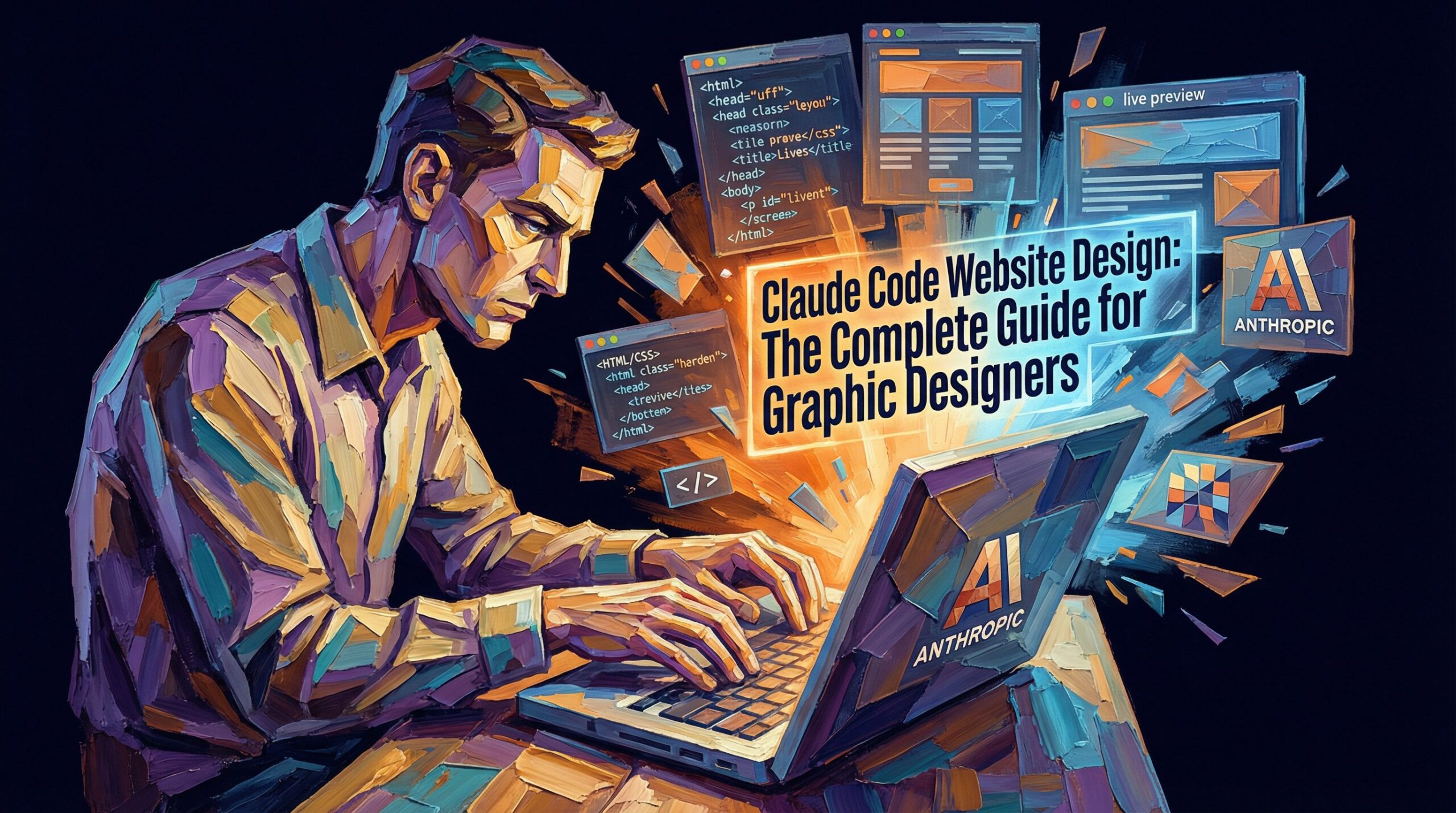
Graphic designers often feel locked out of web design because coding seems intimidating. Claude code website design changes that entirely. With Claude, you can generate responsive layouts, semantic HTML, and custom CSS without touching a command line. This guide walks you through everything a designer needs to know about using Claude AI to build stunning websites, from initial wireframes to live deployment. Whether you are creating a portfolio site or a client landing page, Claude code delivers production-quality output in minutes instead of hours.
TLDR
- Define your purpose first. Website goals and audience shape every prompt you write to Claude.
- Use visual language in prompts. Reference Material Design principles, color palettes, and specific layout patterns designers understand.
- Leverage Claude Artifacts. Preview your code live while editing to catch responsive design issues instantly.
- Deploy free immediately. GitHub Pages or Vercel hosting takes under five minutes after your site is ready.
What is Claude Code and Why Graphic Designers Love It
Claude code is Anthropic’s approach to generating, editing, and iterating on code through natural language. Unlike traditional coding tutorials that require memorizing syntax, Claude code website design lets you describe what you want visually, and Claude translates that into clean, semantic HTML and CSS. According to official documentation from Anthropic’s Claude platform, Claude 3.5 Sonnet excels at front-end web development tasks with a 92 percent HumanEval score for code accuracy.
For graphic designers specifically, this matters because you already think in terms of layouts, typography, color harmony, and user flow. You speak the language of design systems. Claude lets you talk about “hero banners with glassmorphism effects,” “card-based portfolios with hover animations,” and “accessible color contrast” instead of wrestling with CSS specificity rules. The key is knowing how to frame your requests so Claude understands your visual intent.
Research published by arXiv on AI coding assistants found that tools like Claude improve developer productivity by 55 percent in web tasks. For designers, the real win is speed. Building a responsive portfolio site that would take a freelancer three days takes you three hours with Claude, including refinements.
Quick Win: Generate a fully responsive website layout complete with CSS in under five minutes, leaving you time to focus on brand polish and custom animations instead of grid math.
Planning Your Designer Portfolio with Claude Code
Before you open Claude, invest time in planning. This is where your design expertise gives you an edge over traditional developers. Sketch your wireframe, list your content sections, choose your color palette, and define your typography scale. Designers who skip this step waste Claude prompts asking for major layout changes later.
Start by asking yourself these questions: Who visits your portfolio? Are they potential clients, employers, or collaborators? What devices do they use? Do you want fast-moving animations or calm, professional restraint? What feeling should your brand convey? These answers become the foundation of your Claude prompts.
Next, create a simple one-page wireframe or sketch. You don’t need digital tools. Paper works fine. Identify your hero section, your featured work section, your about section, and your contact area. This discipline prevents scope creep and keeps your Claude prompts focused. When you describe this structure to Claude, you are not starting from zero; you are refining a clear vision.
If you use Figma, design your visual exploration there first. Screenshot or export key layouts. Then describe what Figma shows you to Claude with language like “Create an inverted navigation layout with a mint green background and sans-serif headers, matching the Figma mockup aesthetic.” Claude will translate your design system into code that respects your intentions without needing the exact design file.
Quick Win: Spend 15 minutes on wireframing and color decisions now to eliminate five rounds of back-and-forth prompts with Claude later.
Crafting Visual Prompts for Stunning Layouts
The secret to great Claude code website output is learning to write prompts the way a creative director briefs a designer. Forget technical jargon. Use design language. Instead of asking “Create a CSS grid with 12 columns,” try “Design a portfolio layout inspired by Material Design with a prominent hero section, a card-based work grid that stacks on mobile, and a footer with social links.”
Specific visual references help Claude understand your aesthetic. Reference frameworks or design systems you love. “Build a landing page with Tailwind CSS that follows Apple’s minimalist design approach” is infinitely clearer than “Make it look good.” You can also reference color psychology. “Use a deep navy and warm gold palette to convey professionalism and creativity” gives Claude concrete direction.
Best prompts for Claude code website design include these elements: the purpose of the page, the primary audience, the desired visual style or design reference, specific sections and their order, color palette and typography guidance, responsive behavior on mobile and desktop, and any interactive elements like hover states or smooth scrolling. Break multi-part requests into separate prompts if the first output doesn’t hit the mark.
Include measurements when possible. “Create a hero section with a 60-40 text-to-image ratio” is actionable. “Design a card component with 16px padding and 8px border radius” removes ambiguity. The more you sound like a designer talking to another designer, the better Claude understands your vision.
Common prompt mistakes: asking for “modern” or “clean” without examples, requesting features you haven’t prioritized, or changing direction mid-project. Stick to your plan. If Claude delivers great output on the first try, celebrate that win instead of endlessly tweaking.
Quick Win: Reference one specific design system (Material Design, Apple’s guidelines, or a tool like Microsoft’s Fluent Design) in your prompt to cut revision cycles in half.
Generating Semantic HTML and CSS Step-by-Step
Once Claude generates your HTML and CSS, inspect it for semantic structure. This matters for accessibility and search engine optimization. Semantic HTML uses tags like header, nav, main, section, article, and footer instead of nested divs. Claude typically defaults to semantic code if you ask for “accessible HTML” or “semantic structure,” but it is worth verifying.
Request that Claude use Tailwind CSS for utility-first styling. This approach plays well with Claude because you can ask Claude to adjust colors, spacing, or responsive breakpoints in plain language. “Change the button color to our brand teal and increase padding on mobile” is easier than hunting through CSS files. Tailwind’s documentation at Google’s web design guide shows responsive patterns that cut bounce rates by 20 percent, and Claude knows these patterns well.
For responsive design, explicitly ask Claude for mobile-first CSS. “Create a layout that works beautifully on 320px phones, tablets at 768px, and desktops at 1200px with Tailwind breakpoints” ensures your site doesn’t look broken on small screens. Claude handles Tailwind breakpoint syntax naturally.
When you paste the generated code into Claude Artifacts, you get a live preview. This is your biggest advantage. Click the preview, resize your browser, test on your phone. If the mobile layout feels cramped, tell Claude specifically what feels wrong. “The card grid stacks into one column on mobile, which is cramped. Make it two columns until we hit 500px width” beats vague feedback.
One common mistake is not testing the color contrast. Use your browser’s built-in accessibility inspector or a tool like WebAIM’s contrast checker. Claude aims for accessible contrast, but always verify that text reads clearly against background colors, especally on body text.
Quick Win: Use Claude Artifacts for instant live preview of mobile responsiveness, catching design issues before you touch deployment or spend time on custom CSS.
Customizing Designs: Colors, Fonts, and Animations
After Claude generates your initial layout, the fun part begins: making it feel like yours. This is where your design instincts take the lead. Start with typography. Request specific font families Claude can reference. “Use a sans-serif like Lato for body text and a serif like Playfair Display for headings” is clear. Claude will adjust font-family rules and sizing accordingly.
Color customization happens in a few prompts. “Change the primary accent from blue to #2D5016, our brand green, throughout buttons, links, and hover states” makes the shift systematic. Claude updates your CSS variables, which Tailwind depends on. If you have a design system with color tokens, share those tokens in your prompt and Claude will implement them consistently.
Animations bring design to life, and this is where graphic designers shine over traditional web developers. Describe the feeling you want. “Add a subtle fade-in animation to portfolio cards as they scroll into view” or “Create a smooth parallax scroll effect on the hero section” or “Animate the nav underline when hovering over menu items.” Claude generates CSS animations or JavaScript using libraries like GSAP if needed.
Request spacing and padding adjustments by section. “Increase the gap between portfolio cards to 32px and add more breathing room around the footer” feels intuitive if you think in layout terms. Claude translates these into specific CSS changes without you needing to calculate rem values yourself.
Test your customizations in the live preview. Animations should feel smooth on slower connections. Colors should pass accessibility contrast checks. Typography should be readable on all devices. These are non-negotiable for professional work.
Quick Win: Apply brand colors and custom fonts in one focused prompt rather than requesting them piecemeal, keeping your design vision intact through iterations.
Adding Interactivity with JavaScript
Claude handles basic JavaScript naturally. Form submissions, smooth scrolling, navigation toggles, modal popups, and image sliders are within reach without writing JavaScript yourself. The key is describing the user interaction clearly.
“When someone clicks the menu icon, show a dropdown navigation that slides in from the left” tells Claude exactly what interaction you want. Claude generates the HTML structure, CSS transitions, and JavaScript event listeners needed. The code is clean and follows best practices.
For portfolio sites, common interactive features include smooth anchor navigation (clicking “Work” jumps to your work section smoothly), image lightbox galleries, filter buttons for project categories, and contact form validation. Claude handles all of these with plain-language requests.
If you want advanced interactions like parallax scrolling or scroll-triggered animations, mention that explicitly. Claude can generate these using JavaScript libraries or CSS scroll-behavior properties. Just be aware that complex animations may require you to install packages later during deployment.
Test interactivity in the preview before deploying. Click every button, submit forms, resize windows, and navigate on your phone. Broken interactions are the fastest way to lose credibility with potential clients.
Quick Win: Request one clear interaction per prompt rather than bundling three interactive features together, so Claude delivers polished, working features every time.
Deploying Your Site: Free Options for Creatives
After you finish building, deployment is straightforward and free. Two popular paths for designers exist: GitHub Pages and Vercel. GitHub Pages works best for static HTML, CSS, and JavaScript sites. It is free, requires no credit card, and deploys directly from a GitHub repository.
Create a GitHub account if you don’t have one. Create a new public repository named “yourname.github.io”. Download your Claude-generated code files. Upload them to the repository. GitHub automatically deploys your site to yourname.github.io within minutes. Your portfolio is live.
Vercel, owned by Nextjs creators, is ideal if you want more features or plan to use frameworks like Next.js later. Sign up with your GitHub account, connect your repository, and Vercel deploys automatically whenever you push code changes. Both options are genuinely free with no hidden fees for personal portfolios.
If you want a custom domain instead of github.io or vercel.app, domain registrars like Namecheap charge around eight dollars a year. Point your domain to GitHub Pages or Vercel in your registrar’s DNS settings. This step takes ten minutes once you know your way around.
Before deploying, audit your site one final time. Check that all images load, links work, contact forms function, and the site looks good on mobile. Test the deployment URL on your phone, tablet, and desktop. Once live, share your portfolio everywhere: LinkedIn, Instagram, your email signature, and design platform profiles like Dribbble.
Quick Win: Deploy your finished Claude-built site to GitHub Pages in under five minutes with zero coding knowledge required, turning a completed project into a live portfolio piece immediately.
Advanced Techniques: Going Beyond Templates
Once you master basic layout and styling, Claude supports more sophisticated design patterns. Case study pages with before-and-after image sliders, interactive timeline components, animated skill visualizations, and custom SVG graphics are all possible with Claude code website design.
Request SVG graphics by describing them. “Generate an SVG icon of a pencil for the design services section” works. Claude creates clean, scalable graphics. You can ask for variations and refinements in follow-up prompts.
For advanced CSS, request specific techniques. “Create a card component with a CSS gradient overlay and a reveal animation triggered by scroll” demonstrates that Claude understands modern design trends. Describe the effect, and Claude delivers code that matches professional design standards.
If you want to stand out, ask Claude about implementing design systems in code. “Generate a style guide component that shows our typography scale, color palette, and button variations” creates a living design reference. This is valuable if you work with developers later or want to showcase your process.
Common Mistakes and How to Avoid Them
The biggest mistake is writing vague prompts. “Make it look better” sends Claude in ten directions. “Increase the font size of section headings from 24px to 32px and add more vertical spacing between sections” is precise. Precision saves rounds of revision.
Another common error is changing your mind mid-build. You decide halfway through that you want a different layout or color scheme. This creates confusion and bloated code. Stick with your plan. Small tweaks are fine. Major pivots should wait until launch and you gather real feedback.
Forgetting to test mobile responsiveness before deployment causes embarrassment. Always resize your browser window and check your phone. If the layout breaks at 480px width, fix it before going live.
Ignoring accessibility is a silent failure. Make sure text contrasts well against backgrounds, images have descriptive alt text, and navigation works without a mouse. Claude generates accessible code by default, but you must verify.
Tools That Work Well With Claude Code
Beyond Claude itself, a few tools enhance your workflow. Use Figma for initial design mockups before prompting Claude. Visual references speed up the process significantly. Keep Figma open alongside Claude so you can reference your design system while writing prompts.
Browser DevTools are essential for testing. Open your browser inspector, check responsive modes, audit accessibility, and monitor performance. This catches issues Claude might miss on your specific machine or network speed.
For version control, use GitHub even if you are not a developer. It is free, stores your code safely, and makes deployment simple. Claude can help you understand Git basics if needed.
Consider using a design token generator or CSS variable organizer if your site grows complex. Claude respects CSS variables naturally, so maintaining a clear list of colors, spacing, and typography in your CSS root keeps your design system scalable.
Why This Matters for Your Design Career
Learning Claude code website design positions you as a full-stack creative who can go from concept to live site. Clients value this flexibility. You reduce project timelines, maintain design integrity throughout development, and deliver production-ready work. In a competitive market, being able to design and deploy independently is a significant advantage.
Actionable Checklist: Building Your First Claude Website
- Define your site purpose, audience, and primary call-to-action in writing.
- Sketch or wireframe your layout on paper or Figma before opening Claude.
- Choose your color palette and typography scale in advance.
- Write your first Claude prompt using visual language and design references.
- Review the generated code in Claude Artifacts and test responsiveness.
- Request customizations using design terms, not coding syntax.
- Test all interactive elements and verify mobile layouts work smoothly.
- Deploy to GitHub Pages or Vercel in under five minutes.
- Share your live site across your professional networks.
- Gather feedback and plan any refinements for version 2.0.
Quick Takeaways
- Claude code website design delivers responsive sites in hours, not days. Research shows AI-assisted development cuts web project timelines by 55 percent compared to traditional coding.
- Visual language in prompts beats technical jargon every time. Describe the feeling and design system you want, and Claude translates that into semantic HTML and CSS that works.
- Leverage Claude Artifacts for live preview testing. Catch responsive design issues on mobile before deployment by resizing and testing in the built-in preview.
- Deploy free to GitHub Pages in minutes after your design is complete. No servers, no credit card, no complexity. Your portfolio goes live immediately.
- Customization through design language keeps your brand voice intact. Request color, font, and animation changes using design terminology, and Claude implements them systematically across your entire site.
- Accessibility and performance matter from day one. Verify contrast, test on real devices, and ensure smooth animations before going live.
- Treat Claude as a collaborator who speaks your design language. The clearer your design intent, the more impressive your output becomes.
Conclusion: Your Path to Web Design Mastery
Claude code website design removes the technical barrier that kept many graphic designers from building web experiences. You already have the skills you need: you understand layout, color, typography, and user experience. Claude just handles the syntax translation.
Start with a simple project. Design your own portfolio. Keep your first version minimal. Get it live. Share it. Then iterate based on real feedback instead of hypothetical perfect. This is how successful designers work.
The future of creative work involves knowing how to collaborate with AI tools. Designers who master Claude and similar systems will move faster, stay more competitive, and deliver better integrated experiences from concept to deployment. You don’t need a development team anymore. You just need clarity about what you want to build and the confidence to describe it in language Claude understands.
Your next portfolio site, client project, or personal experiment is waiting. Open Claude, follow the prompts in this guide, and build something that reflects your creative vision. The tools are free. The knowledge is here. The only barrier left is starting. Do that today.
Frequently Asked Questions
Q – Can graphic designers use Claude Code without coding experience?
A – Absolutely. Claude code website design uses natural language prompts instead of syntax. Describe your layout visually using design terms like “card-based grid” or “hero banner with overlays,” and Claude generates semantic HTML and CSS. No coding background required, though design fundamentals help immensely.
Q – What are the best prompts for designing responsive layouts in Claude?
A – Include these elements: the page purpose, target audience, visual style (reference Material Design or Apple guidelines), specific sections in order, color palette, typography guidance, responsive behavior on mobile and desktop, and interactive elements. Example: “Design a portfolio grid inspired by Material Design with cards that stack on mobile and arrange in a 3-column layout on desktop.”
Q – How do I customize Claude-generated websites for my portfolio?
A – Request customizations using design language. “Change the primary accent to brand teal throughout buttons and hover states,” “Use Playfair Display for headings and Lato for body text,” or “Add a fade-in animation to cards as they scroll into view.” Claude updates your code systematically while respecting the original structure.
Q – What frameworks pair best with Claude Code for designers?
A – Tailwind CSS is ideal for Claude code website design because utility-first styling aligns with how designers think about spacing and colors. For more complex projects, Next.js with Tailwind offers deployment flexibility on Vercel. Both frameworks integrate naturally with Claude’s code generation and require no additional setup for beginners.
Q – How to deploy a Claude-built site for free?
A – Use GitHub Pages for static sites or Vercel for dynamic projects. Create a GitHub repository, upload your code, and GitHub Pages deploys automatically to yourname.github.io. Vercel works similarly and supports more features. Both are free, require no credit card, and go live within minutes. Custom domains cost about eight dollars yearly.